|
A 60 minute club website ?
|
Remember these pages we announced in part 2 ? well let's create them...
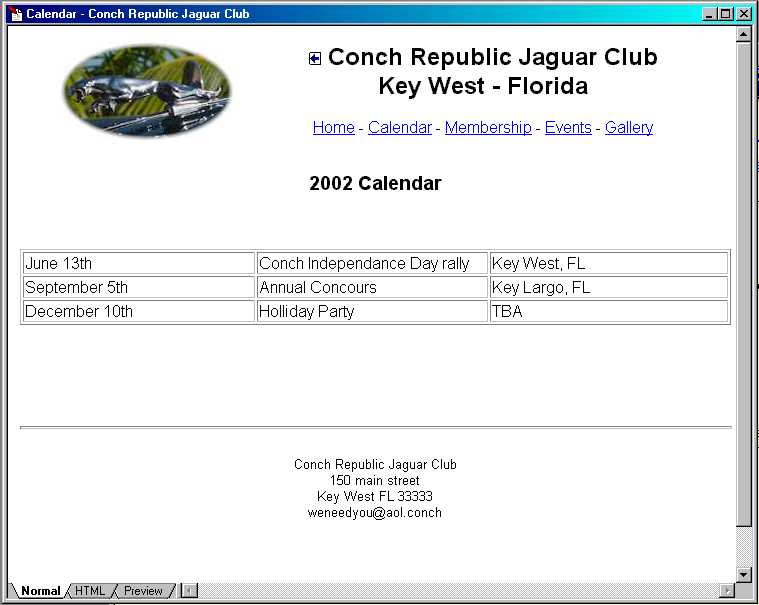
The easiest way to do that is simply to save your home page under the other file names. Choose File Save As and type in a new name and title; the name must be what you picked for your links in part 2 :
calendar.html , member.html , events.html and gallery.html
For each, as a page title, type in Calendar - Conch Republic Jaguar Club, Membership Info - Conch Republic Jaguar Club, etc... you get the idea !
After you've created these 4 pages, all you have to do is open each of them, delete the content between the header and the footer and replace by what you will have on each page.
I'll let you figure out what you're going to place in there... again in many cases, you can reuse information already typed up, from your newsletter, from a flyer, etc...
Always make sure each section provide what people will be looking for. Yes it sounds obvious but the obvious is often what we forget.
After you're done filling in the blanks and saving everything, you can test you site by switching to your favorite browser and open your home page (index.html) to see out it looks. From there you should be able to click on your navigation links and move from one page to another.
If you've followed our directions, we should just be coming up on 60 minutes right now, unless of course you decided to create 30 pages and process hundreds of pictures... that bottle of champagne should be just cold... take a break and celebrate before we get to the final part !
on to part 4 : Where should I put it ?
[HOME] [MEMBERS] [CALENDAR] [LIBRARY] [STANDINGS] [CLUBS] [JOIN] [CLASSIFIEDS] [FORUMS] [ABOUT] [CONTACT US] [JAGUAR JOURNAL] [SITE MAP]
| LEGAL NOTICES |